 BookBee AI

AI ebook generator and creator: one idea to a finished ebook
An AI ebook generator, also called an AI ebook creator or ebook writer, turns one idea into a complete ebook. BookBee plans the chapters around your reader and your promise, writes each one using your notes, checks it for invented facts, and finishes with a cover and a print-ready PDF.
By Aimbelo · Updated · 12 min read
- on every chapter, one of them for invented facts
- 6 checks
- words aimed for in each chapter; 2,064–2,877 in our tests
- 2,000+
- for a 5-chapter guide in our 3 test runs
- 4–5 min
- of your own notes and sources, 4 MB in total, plus pasted notes
- 5 files
- print-ready PDF; EPUB on paid plans
- 6 × 9 in
- one short guide, no card
- Free
Quick answers
- What is an AI ebook generator?
- It is ebook AI that does the writing as well as the layout. You describe a topic and a reader; it plans the chapters, writes them and gives you a file to publish. Many tools sold as ebook makers only design pages, so check who writes the words.
- Is there a free AI ebook generator?
- Yes. BookBee’s free plan writes one short guide of 5 chapters, about 10,000 words or more in our tests, with a cover and a print-ready PDF that carries a small BookBee mark. There is no card to enter. Inkfluence, Gamma and FlipHTML5 also have free ways in, with different limits.
- How do I create an ebook with AI?
- Choose one reader and one promise, add your notes and experience, and approve a chapter plan before any writing starts. Let the AI write, then read every chapter, check the facts and add your own examples. Finish with a cover and the file your store needs.
- Can I sell an AI-generated ebook?
- Yes. It is yours to sell and BookBee takes no royalties. Amazon KDP asks you to declare AI-generated text when you publish, even if you edited it later. Draft2Digital won’t accept text left entirely to the AI, so edit it and add what you know.
Read sample ebooks
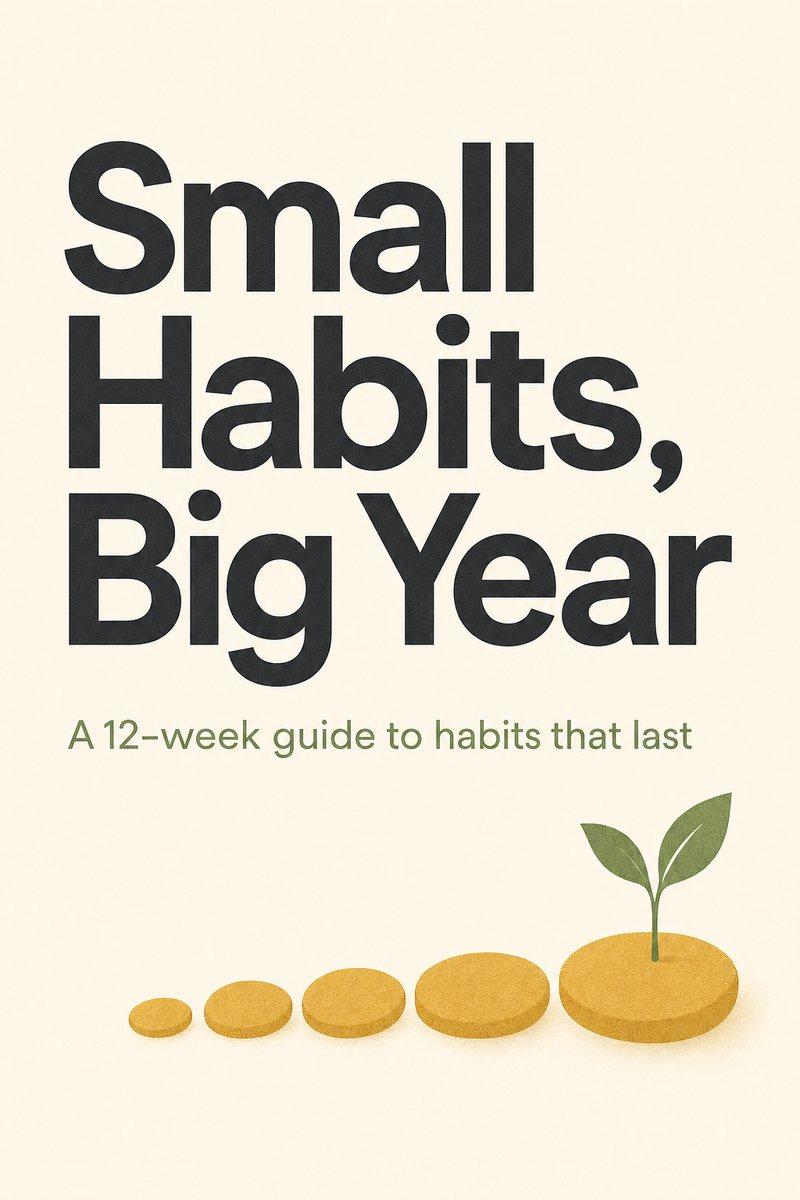
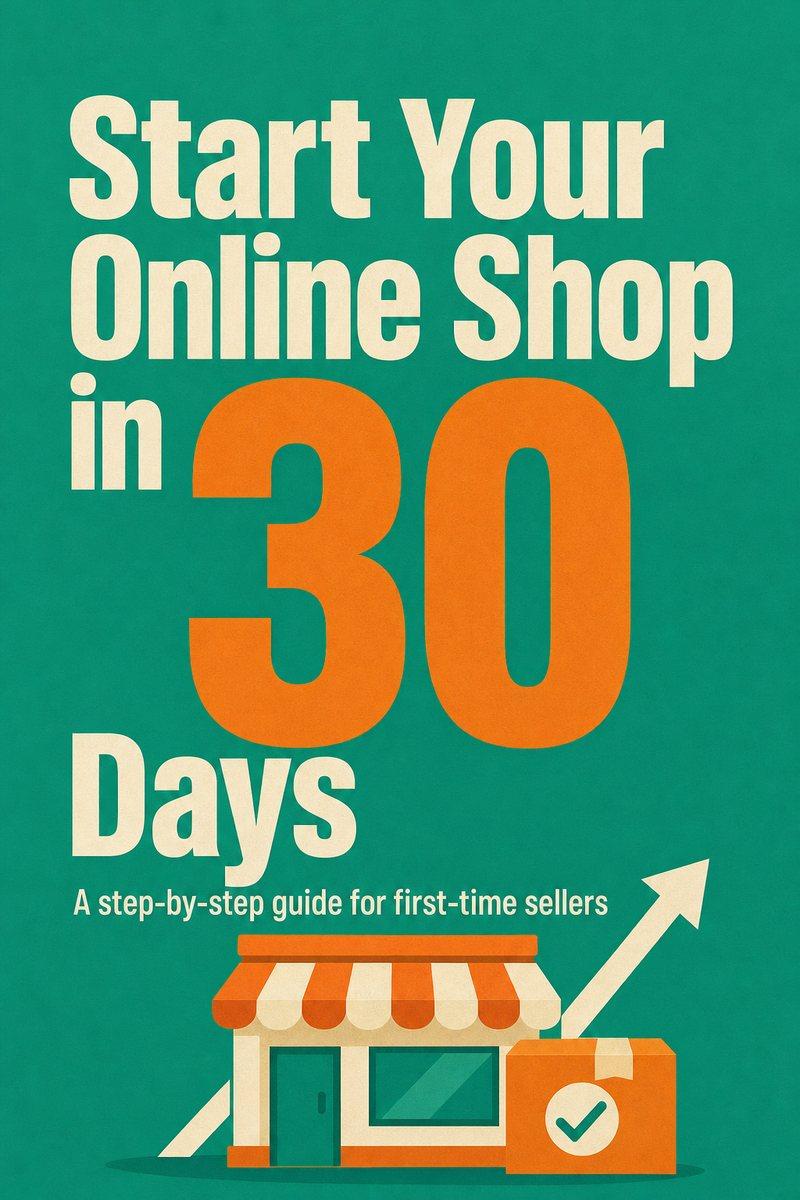
Two samples of the kind of guide BookBee is built to make, each with its cover, its chapter plan and the whole first chapter, to read online or as a PDF. They were written as examples and are longer than the free plan’s 5 chapters.
Why AI ebooks make things up, and what BookBee does about it
Non-fiction is where AI writing goes wrong fastest, because a reader may act on what it says.
It invents numbers and experts
Asked for proof, AI can produce a convincing study or a quote from someone who never said it.
How BookBee fixes it: Writing rules ban made-up statistics, studies, quotes and experts, and made-up examples must be labelled as examples. One AI check then reads each finished chapter for them, tries to fix what it finds and marks anything left “Please check”. It can miss things, so still check any fact that matters.
It sounds like everyone else
With nothing to go on, a chatbot gives the advice anyone could find in a minute.
How BookBee fixes it: Add your own stories and experience, paste your notes and upload up to 5 files. BookBee builds the chapters on them, and the plan is told never to invent facts about you. Files can be PDF, Word (.docx), text or Markdown, 4 MB in total. Very long files are only partly used, so put what matters most first.
It repeats itself by chapter four
Written reply by reply, an ebook covers the same ground again and again.
How BookBee fixes it: Every chapter has its own job in the plan you approved, and the writer gets the end of the previous chapter and the facts so far. The checks look for phrases a chapter repeats within itself.
How to create an ebook with AI, step by step
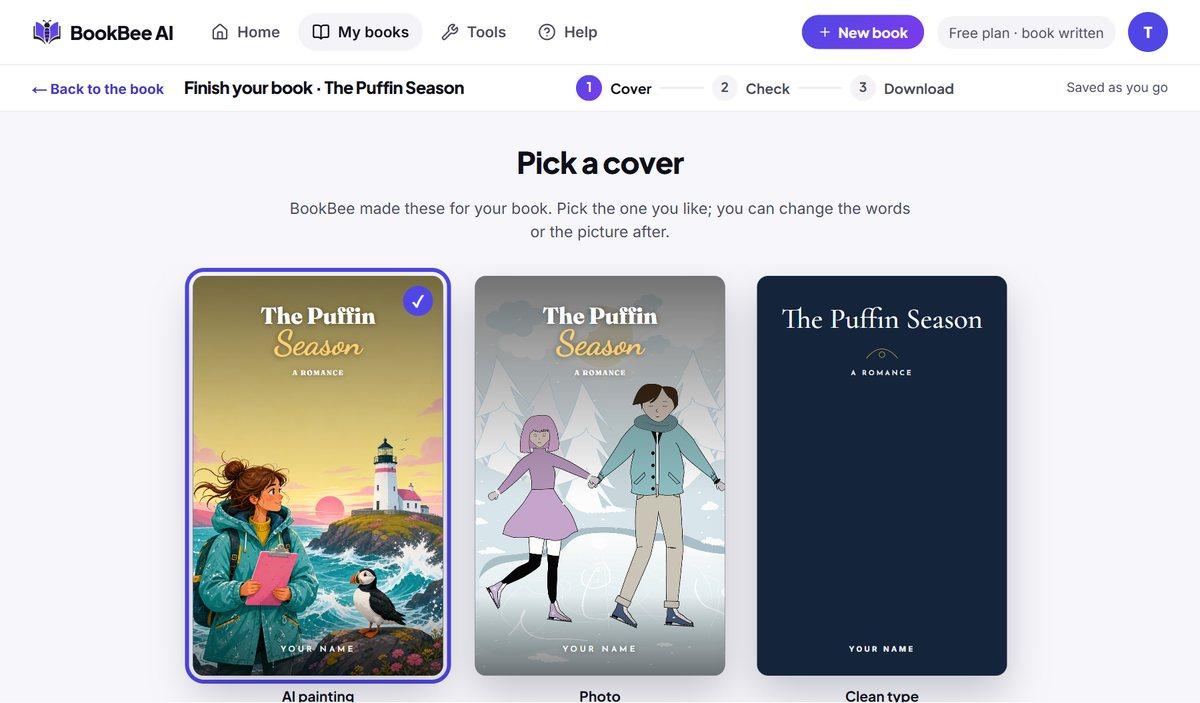
The screens below come from a test novel; ebooks use the same four steps, from your idea to the file you download.
 1
Describe your ebook and approve the plan
Make one clear promise to one kind of reader, such as “meal prep for busy nurses” rather than “cooking”. BookBee suggests a title, a subtitle and a chapter outline; change any of it before anything is written. Need a name? Try the free book title generator.
 2
Let BookBee write each chapter
Chapters are written one by one, each aiming for 2,000+ words, with short subheadings and bullet lists. A chapter that stays short is flagged for you. Close the page if you like; writing carries on, and you’ll find the ebook in My books.
 3
Check and edit
Each chapter goes through 6 checks: length, repeated phrases, names and terms, speaking to the reader as planned, outline points, and no invented facts. Then edit any passage yourself, or ask the editor to rewrite, expand or shorten it.
 4
Choose a cover and download
Pick one of three ready covers (an AI painting, a library photo or clean type) and change its words, look over the book, then say where it’s going. On the free plan you can download a PDF to share, a PDF to print at home, and paperback pages with a front cover. The Kindle ebook comes with paid plans.
Who uses an AI ebook generator?
Anyone who knows something worth teaching but does not have weeks to write it down.
Coaches and consultants
Turn your method into a guide clients can keep, or a free download that brings new clients in.
Creators and newsletter writers
Package your best posts and advice into an ebook your audience can buy.
Small business owners
Give customers a buying guide, a how-to or a starter manual that answers their questions before they ask.
Teachers and course creators
Write a workbook or study guide that goes with your lessons or online course.
What kind of ebook can you create?
BookBee writes non-fiction in clear, practical chapters. These are the most common kinds.
How-to guides
Step-by-step help on one skill or problem, with examples if you ask for them under More details.
Example idea: Start a balcony vegetable garden in 30 days
Free downloads (lead magnets)
A useful guide people get in exchange for their email address.
Example idea: 7 email templates for freelance designers
Ebooks to sell
A complete guide for Etsy, Gumroad, your own website or, with an EPUB, Amazon Kindle.
Example idea: The beginner’s guide to selling on Etsy
Workbooks and course companions
Lessons with exercises and questions, if you choose Exercises under More details.
Example idea: A 6-week public speaking workbook
Client and customer guides
Everything a new client or customer needs to know, in one place.
Example idea: Your first 90 days with a new puppy
Business playbooks
Turn how you work into a guide for your team or for other business owners.
Example idea: How to run a small café, from opening to profit
Ready to create your ebook?
Describe it in one line. You will see the full chapter plan before anything is written.
What the free ebook creator includes
This free ebook generator writes a whole short guide before you decide to pay, one time, with no card.
- One ebook of 5 chapters, aiming for 2,000+ words each
- Title, subtitle and chapter plan you approve first
- 6 checks on every chapter
- The AI editor: rewrite, expand or shorten any passage
- Three ready covers with your title: an AI painting, a library photo and clean type
- PDFs to print, share and sell, with a small BookBee mark
- Full ownership: sell it or give it away
Paid plans add longer guides of 13 or 20 chapters, the EPUB, a Word file and no mark. See pricing.
What does BookBee ask for before it writes your ebook?
The more of your own material it has, the less the ebook sounds like everyone else’s. Under “More details” you can add:
- Reader level: beginner, intermediate or advanced.
- Your stories and experience, so the advice comes from you.
- Notes you paste in, and up to 5 files (PDF, Word, text or Markdown, 4 MB in total) for it to work from. Very long ones are only partly used.
- The style you want: step by step, checklists, examples and stories, exercises or templates.
- A call to action for the end, such as your newsletter or course.
- Words or topics to keep out.
How long does it take to create an ebook with AI?
About 4 to 5 minutes for a 5-chapter guide, in three runs with live AI on our test server. The chapters came to 2,064–2,877 words each, so a short guide runs to roughly 10,000–14,000 words. You can close the page while it writes.
| Run | Plan | 5 chapters, checks included | Total |
|---|---|---|---|
| 1 | 20.1 seconds | 218.3 seconds | 4.0 minutes |
| 2 | 31.0 seconds | 204.7 seconds | 3.9 minutes |
| 3 | 47.3 seconds | 265.3 seconds | 5.2 minutes |
You may reuse these times with credit to BookBee AI (CC BY 4.0).
Ebook generator, ebook creator, ebook maker or ebook builder: which is which?
Sites use these names for the same thing, so ignore the label. An ebook creator, ebook maker or ebook builder can mean any of three quite different jobs. Ask who writes the words:
- You write, it designs: page design tools such as Canva and Adobe Express give you templates, so the look is in your hands.
- You already wrote it: tools such as Kindle Create or Atticus format ebook files from a finished manuscript.
- AI writes it: an AI ebook generator such as BookBee or Inkfluence writes the chapters first, then makes the files.
- Some do a bit of each: Designrr repurposes your posts and videos, and Gamma and FlipHTML5 write and design together.
How does BookBee compare with other AI ebook generators?
Google’s AI answers mention these tools most when people search for an ebook generator, so here they are next to BookBee. Most of them put design first. BookBee puts the writing first, so its pages are plain and its chapters are long. Choose by which matters more for your ebook.
| Tool | Best at | Free | Paid from | Files |
|---|---|---|---|---|
| BookBee | Long, checked how-to chapters built on your notes | 1 ebook of 5 chapters, once | From $8 a month | Print PDF free; EPUB and Word on paid plans |
| Inkfluence | A whole ebook from one prompt | 5 chapters, then 5 more a month | $9.99 a month | PDF free; EPUB and Word on paid plans |
| Designrr | Turning your posts, documents and videos into ebooks | Not stated | $29 a month | PDF; Kindle and EPUB from $39 |
| FlipHTML5 | Interactive flipbooks with page-turning effects | Free to try; limits not on its page | Not on its page | Online flipbook |
| Gamma | Polished, designed guides and reports | 400 credits at sign-up | $9 a month billed yearly | PDF, PPTX, PNG |
| Genspark | Designed lead magnets with stat callouts | Free tool; limits not on its page | Not on its page | PDF, flipbook, HTML |
| Canva | Designing your own ebook from templates | Free to start | Not on its page | Not on its page |
- Choose a design tool if your ebook lives on its looks: pictures on every page, a brand style or a short, visual lead magnet.
- Choose BookBee if your ebook lives on what it says: you want a long guide, written from your notes, that you can edit like a document.
- Inkfluence is the closest to BookBee. It gives more free chapters over time; BookBee’s check for invented facts and its questions about your reader and your material are the difference.
Can it add images, work as an app or convert my text?
Here is how BookBee answers the things people most often add to this search.
- With images: BookBee makes the cover, but there are no pictures inside the chapters yet. For pictures on every page, use a design tool from the table above.
- App: it runs in the browser on a computer or a phone. There is no Android app or APK to download.
- ChatGPT: it can draft an ebook reply by reply, but you do the planning, the formatting and the checking yourself. BookBee does those in one place.
- Text to ebook: BookBee reads your notes and files and writes new chapters from them. It doesn’t convert a finished manuscript as it stands; a formatting tool does that.
How do you make a lead magnet ebook with AI?
A lead magnet is a free guide people get in exchange for their email address. The free plan’s guide has 5 chapters, about 10,000 words in all, which is longer than most lead magnets, so remove chapters in the plan before writing, narrow the topic and keep only what earns its place:
- Pick one narrow problem your future customers have, such as “5 mistakes first-time home buyers make”.
- Add your call to action under “More details”, so the ebook ends on your course, service or newsletter.
- Edit out anything your reader doesn’t need. A shorter guide is more likely to be finished.
- Download the PDF to share and add it to your signup form. On the free plan it carries a small BookBee mark.
How long should an ebook be?
As long as it takes to keep its promise, and no longer. There are no fixed rules, but these lengths are common, and BookBee’s sizes are in brackets:
- Free download (lead magnet): 2,000 to 5,000 words, about 10 to 25 pages. (Remove chapters in the plan, then edit it down.)
- Short how-to guide to sell: 8,000 to 15,000 words, about 30 to 60 pages. (Short guide: 5 chapters, free.)
- Full guide or business book: 25,000 to 50,000 words or more. (Full guide: 13 chapters. Big guide: 20 chapters. Both on paid plans.)
PDF or EPUB: which format do you need?
It depends on where your readers will get the ebook.
- PDF keeps the exact layout on every screen and printer. Use it for free downloads, Etsy, Gumroad, your website, and for paperback pages.
- EPUB lets the text adjust to the reader’s screen and font size. Use it for Kindle, Apple Books and Kobo.
- BookBee gives you PDFs on every plan, and the EPUB and a Word file on paid plans.
Can you sell AI-generated ebooks on Amazon?
Yes. Amazon KDP accepts ebooks written with AI, but it asks you to declare AI-generated text, images and translations when you publish. Text you wrote yourself and only polished with AI doesn’t need declaring. Like every book, yours must follow KDP’s content rules.
In practice, AI ebooks that sell are focused, well edited and honest about what they teach. Read every chapter before you publish, check any facts, and add your own experience where you can.
Where can you sell your ebook?
Which files you need depends on the shop, and ebook publishing doesn’t have to mean Amazon:
- Ebook stores: Amazon KDP, Apple Books, Kobo and Barnes & Noble Press, which call for the EPUB on paid plans.
- Digital download marketplaces: Etsy, Gumroad and Payhip, using a PDF.
- Your own website or online shop, such as Shopify, using a PDF.
- As a free download in exchange for an email address, to grow your list.
How do you publish an ebook on Amazon KDP?
Create a free KDP account, add your title, description and keywords, upload the EPUB and the cover, set a price, and answer the AI content question. Amazon reviews the book before it goes on sale. For a paperback, upload the print PDF instead and use the front cover image with Amazon’s Cover Creator.
Writing a novel rather than a guide? See the AI novel generator or the AI book writer.
What won’t BookBee write in an ebook?
BookBee is for practical, general information. The AI is told not to give medical, legal or financial advice, and the plan is asked to add a rule to stay general for health, money, law or fitness ebooks. It isn’t for explicit content or copying other authors’ work. These are instructions to the AI, so read what it writes on any sensitive topic, and ask a professional where it matters.
AI ebook generator vs a chatbot vs a design tool
| Feature | BookBee AI | A general AI chatbot | A design tool |
|---|---|---|---|
| Writes the whole ebook | Yes, chapter by chapter from one plan | One reply at a time | No, you write it |
| Keeps chapters consistent | Plan sent with every chapter | Forgets in long chats | Not applicable |
| Checks length and invented facts | Automatic, on every chapter (it can miss things) | No | No |
| Cover | Three ready covers: an AI painting, a photo and type | No | Yes, from templates |
| Page design | Plain guide layout, no pictures inside | None | Yes, this is the strength |
| Files ready to publish | 6 × 9 in PDF; EPUB on paid plans | Copy and paste | PDF, layout by you |
Frequently asked questions
What is the best free AI ebook generator?
It depends on what the ebook needs. For a long guide built on your own notes, BookBee’s free plan. For more chapters over time, Inkfluence. For designed pages, Gamma or Genspark. No free plan does everything, so try the one closest to your ebook.
Is there a free ebook maker with no sign-up?
Not for a whole book here: BookBee needs a free account so your chapters are saved. Its [AI story generator](/ai-story-generator) and [book title generator](/book-title-generator) work with no account, and some design tools let you start without one.
Do I need writing experience?
No. You describe the ebook in one line and approve the plan. BookBee does the writing; you decide what stays.
Can I upload my own notes?
Yes. Paste notes and add up to 5 PDF, Word (.docx), text or Markdown files, 4 MB in total, under “More details”, and BookBee builds the chapters from them. Long material is only partly used, so put what matters most first.
Does it make up facts?
It is told not to, and a check looks at each chapter for made-up statistics, studies, quotes and experts. It can still get things wrong, so check any fact that matters before you publish.
Can I edit the ebook?
Every word. Edit directly, or ask the editor to rewrite, expand or shorten any passage.
How many chapters can it write?
The free plan writes 5. Paid plans add a Full guide of 13 chapters and a Big guide of 20.
What formats do I get?
On the free plan, a PDF to share, a PDF to print at home and 6 × 9 in paperback pages with a front cover image. Paid plans add the EPUB, a Word file and the paperback’s full cover.
Can I put the ebook on Kindle with the free plan?
Not as a Kindle ebook, because that takes the EPUB on paid plans. You can publish a paperback on Amazon with the free PDF pages and its Cover Creator, and sell the PDF elsewhere.
Does the free PDF have a watermark?
There are no marks across your pages. A small “Made with BookBee AI” line appears at the end of the book, and paid plans remove it.
Who owns the ebook?
You do. Sell it, give it away or change it however you like. BookBee takes no royalties.
Can it write an ebook about my business?
Yes, if you give it the details. It doesn’t know your business, so paste in your notes, your process and your examples, and it builds the chapters on them.
Is the text original?
Each chapter is written new for your outline, not copied from other books, though BookBee doesn’t compare it against published work. Your own edits and examples make it more yours.
What is the difference between an ebook and a book here?
In BookBee, “ebook” means a how-to guide or other non-fiction. For stories, use the [AI novel generator](/ai-novel-generator) or the [AI book writer](/ai-book-writer).
Which languages can I write in?
English for now, and four more languages are planned: Spanish, French, German and Portuguese.
How much do paid plans cost?
Starter is $8 a month and Pro is $18 a month. The free ebook stays free.

Written by Aimbelo, Founder, BookBee AI
Last updated
Sources
The timing table is our own test. Everything about other tools and store rules comes from these pages, checked on 4 and 5 November 2026.
- Inkfluence AI ebook generator: what it makes
- Inkfluence pricing: free plan, prices and formats
- Designrr: what it does
- Designrr pricing: prices and exports
- FlipHTML5 AI ebook generator: flipbooks and free use
- Gamma pricing: free credits, prices and exports
- Genspark AI ebook generator: what it makes and exports
- Canva ebook maker: templates and design
- Adobe Express ebook creator: design tool
- Atticus: formatting tool
- Amazon KDP content guidelines: declaring AI-generated content
- Draft2Digital FAQ: its policy on AI-generated books (checked 3 November 2026)
Your first chapter in minutes.
Type an idea. Approve the plan. Read chapter one tonight.
Start writing free