 BookBee AI


AI book writer: write a book with AI, chapter by chapter
An AI book writer, or AI book generator, plans and writes a book with you. With BookBee you describe your idea, approve a chapter plan, and get chapters aiming for 2,000+ words, each checked as soon as it is written, then a cover and a print-ready PDF. It writes novels, short story collections and how-to ebooks. The free plan writes one short book of up to 5 chapters; full-length books come with paid plans.
By Aimbelo · Updated · 16 min read
- of book, from romance to how-to guides
- 7 types
- words aimed for in every chapter
- 2,000+
- on each chapter, as soon as it is written
- 6 checks
- inside the book: novel, guide or stories
- 3 styles
- PDF ready for print; EPUB on paid plans
- 6 × 9 in
- one book of up to 5 chapters, no card
- Free
Quick answers
- Is it legal to write a book with AI?
- Yes. Using AI to write a book is legal, and the text BookBee writes for you is yours to publish and sell. Stores set their own rules: Amazon KDP asks you to say when text was generated by AI, and some stores only accept books a person has edited heavily.
- Can AI write a whole book for me?
- Yes, chapter by chapter. BookBee plans the whole book first, you approve the plan, then it writes every chapter and checks each one before starting the next. On the free plan that means one short book of up to 5 chapters. You read, edit and decide what stays: the book is only as good as the idea and the editing you bring.
- Is there a free AI book writer?
- Yes, to start: BookBee’s free plan writes one book of up to 5 chapters, once and without a card, with a plan, checked chapters, a cover and a print-ready PDF that carries a small BookBee mark on its last page. Paid plans from $8 a month write full-length books.
- Can I sell my AI-written book on Amazon?
- Yes. The book is yours and BookBee takes no royalties, so you can sell it on Amazon KDP or anywhere else. When you upload it, KDP asks whether the text was generated by AI: answer yes, and edit the book in your own voice before you publish.
Read sample books
Eight sample books in all three inside styles: five novels, a collection of short stories and two how-to guides. They were written to show the kind of book BookBee makes, not by the app, and their first chapters are shorter than the 2,000+ words it aims for. Each has a cover, a plan and a first chapter to read online or as a PDF.
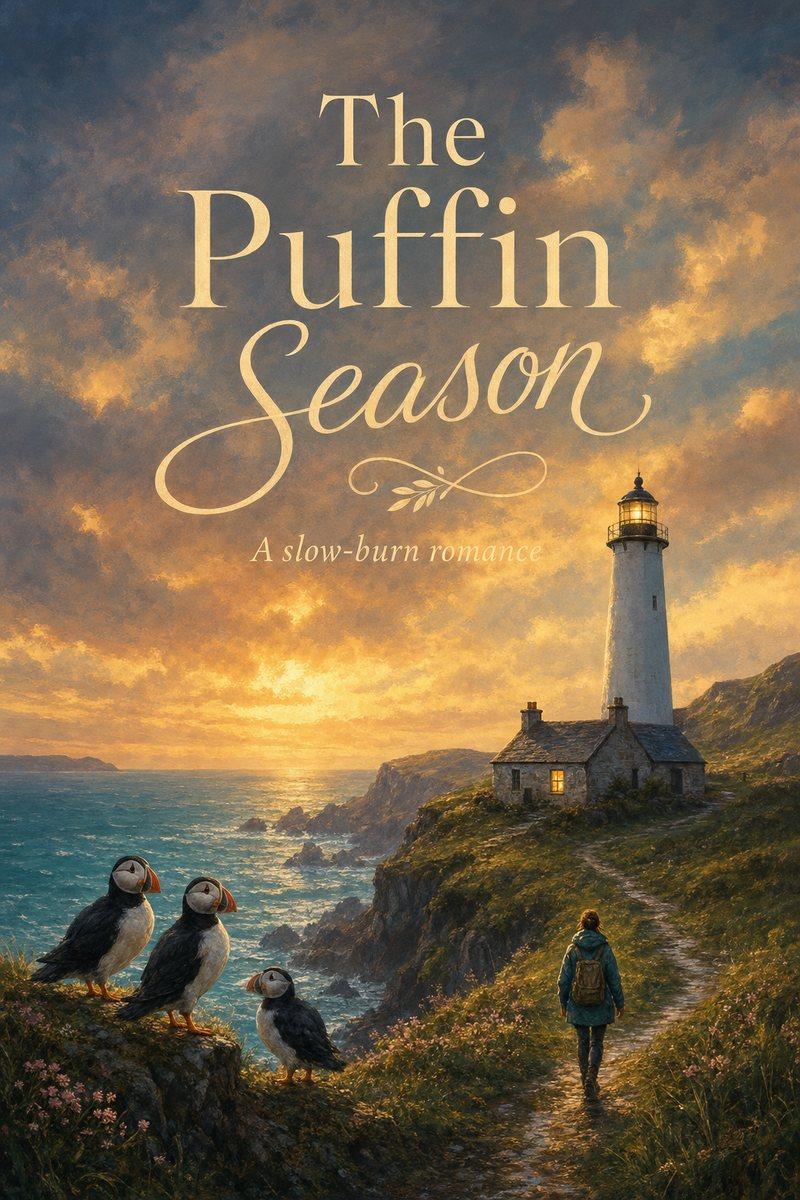
- The Puffin SeasonRomanceRead chapter 1PDF
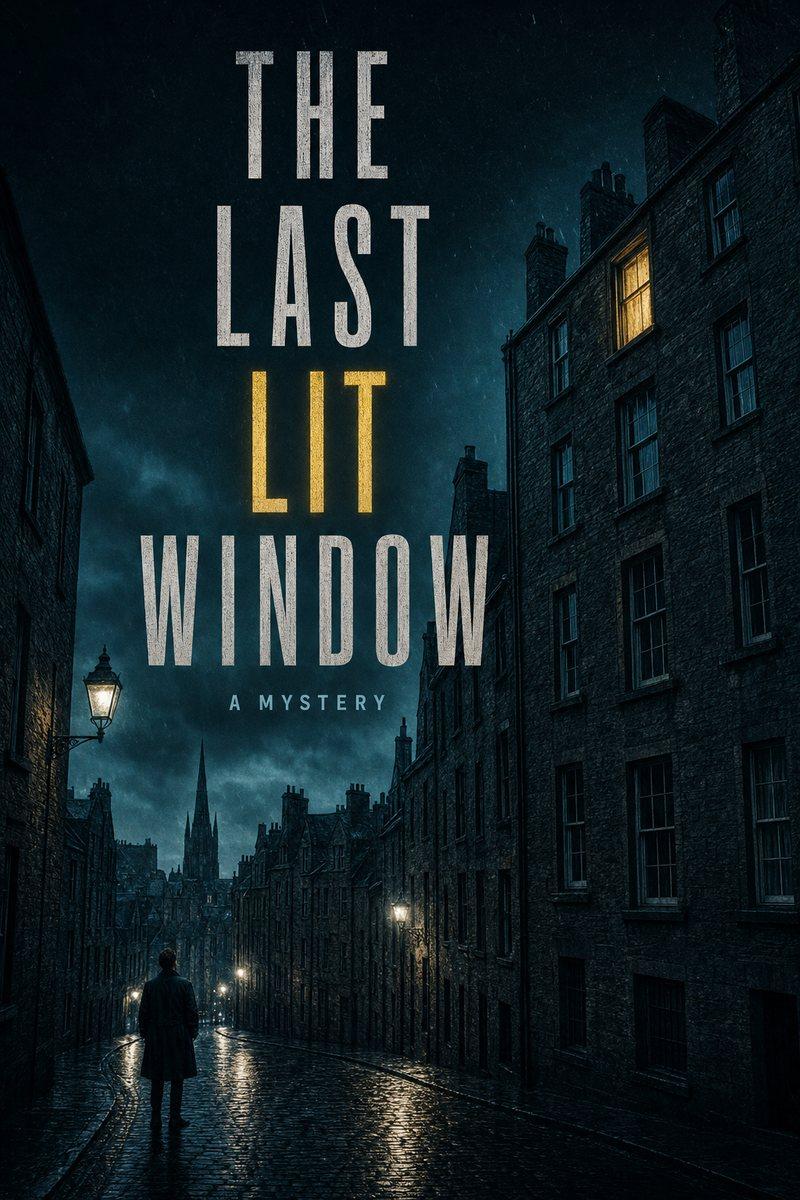
- The Last Lit WindowMysteryRead chapter 1PDF
- Twelve Minutes to ViennaThrillerRead chapter 1PDF

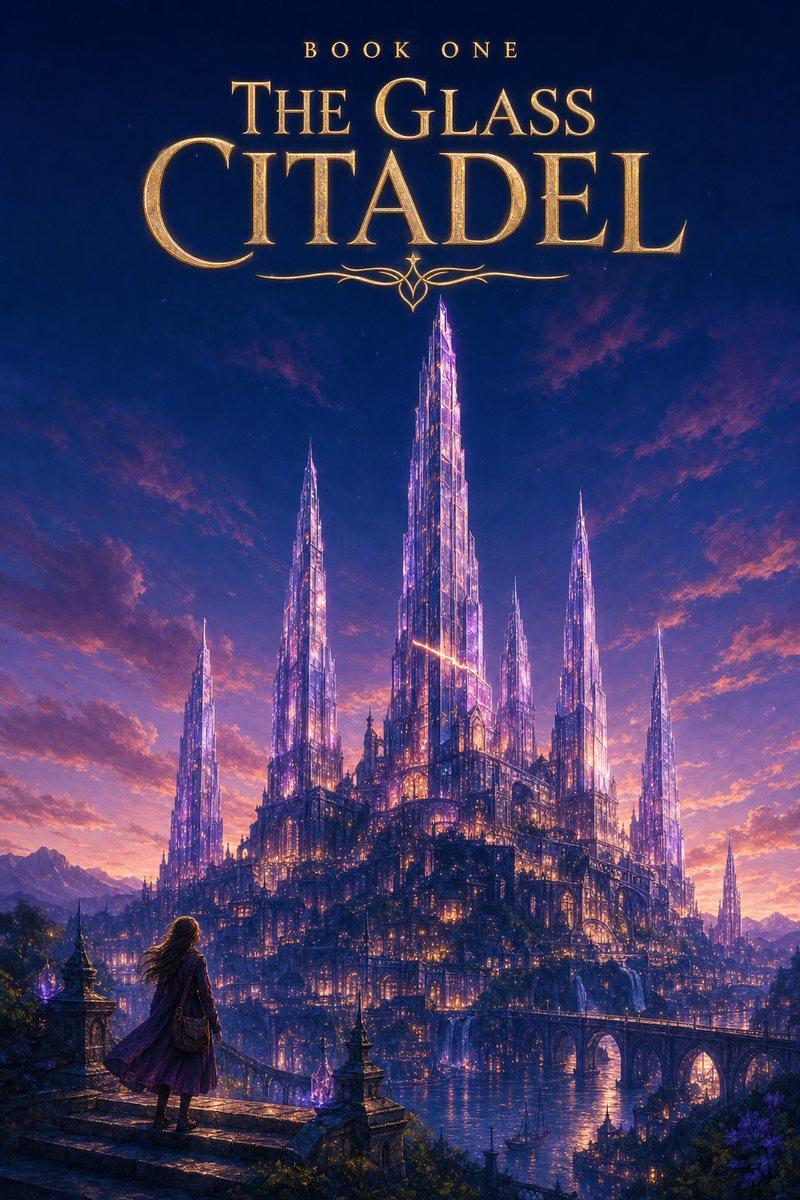
- The Glass CitadelFantasyRead chapter 1PDF
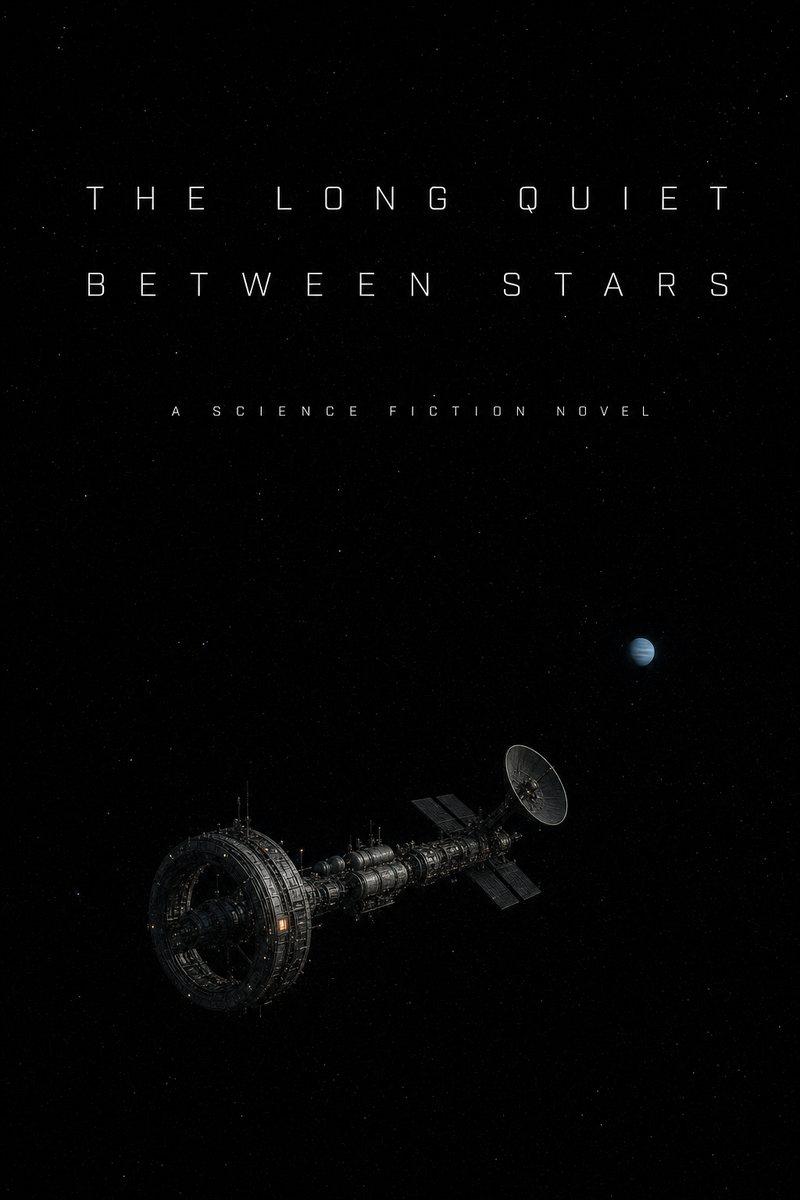
- The Long Quiet Between StarsScience fictionRead chapter 1PDF
- Tea at the Edge of the WorldShort storiesRead chapter 1PDF

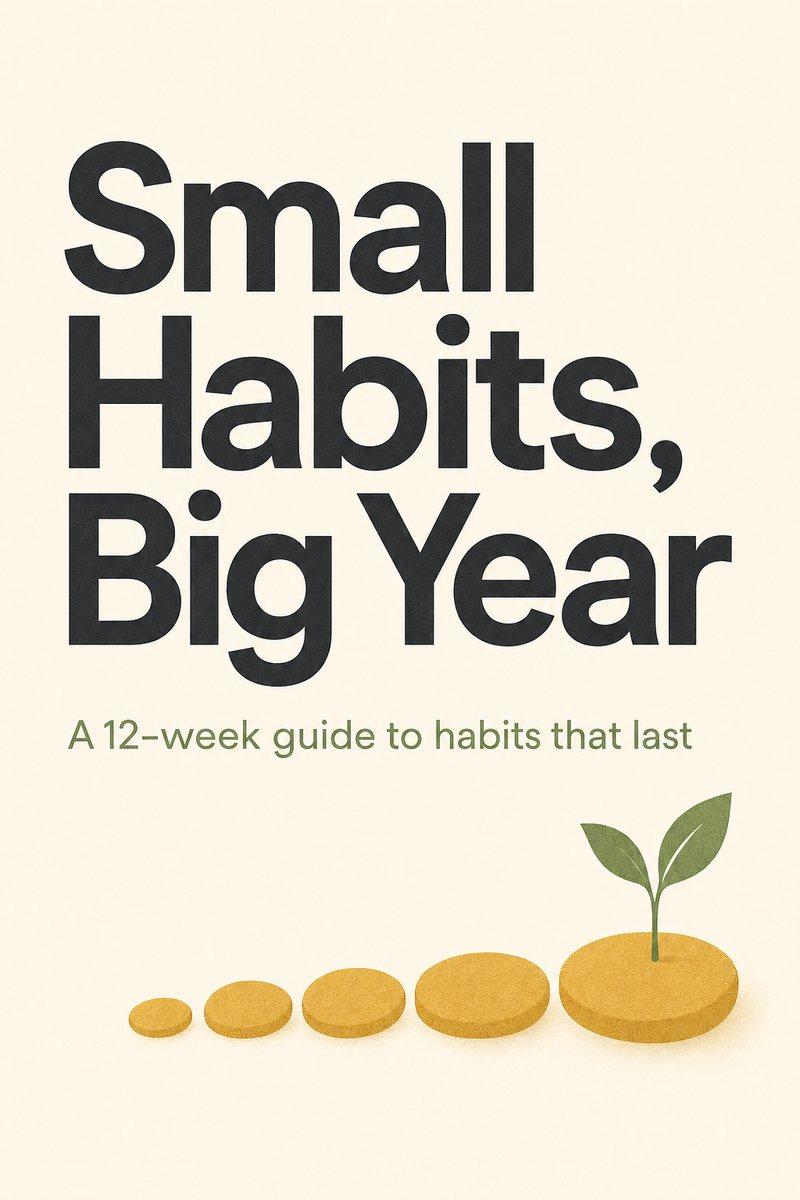
- Small Habits, Big YearSelf-helpRead chapter 1PDF
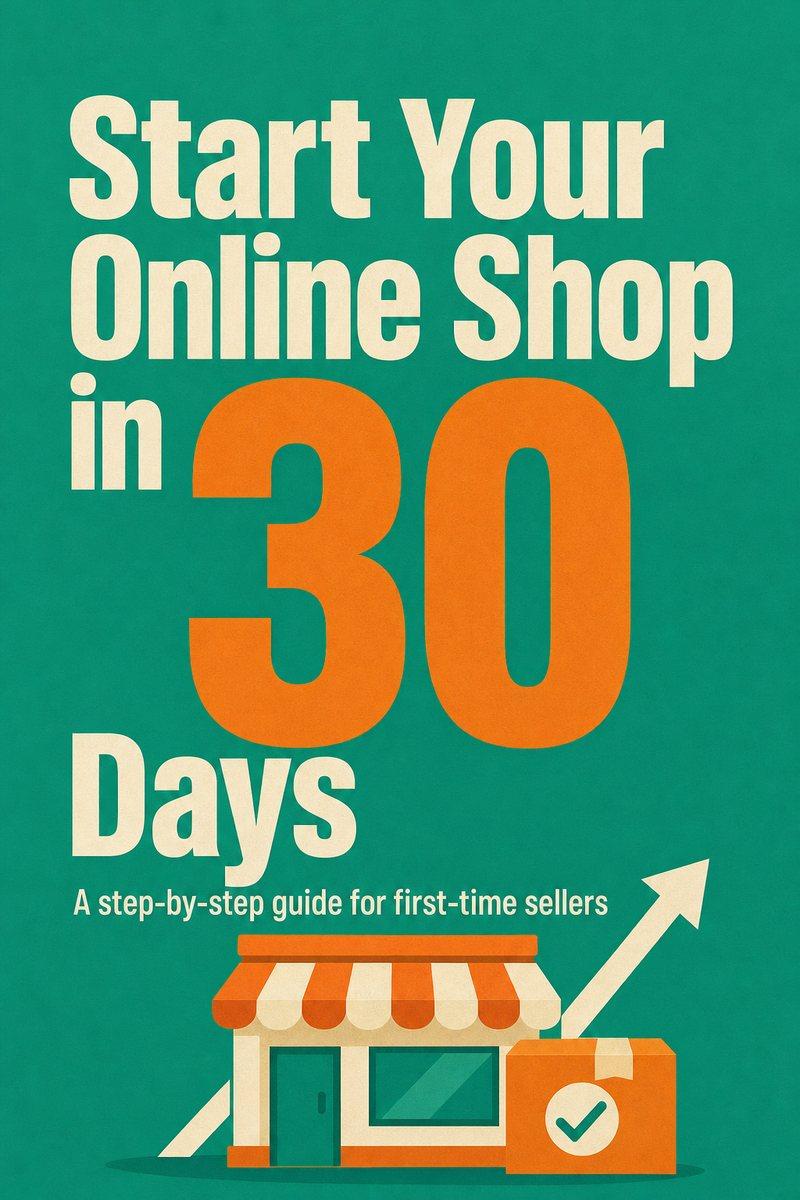
- Start Your Online Shop in 30 DaysBusinessRead chapter 1PDF
Why most AI books never get finished, and how BookBee finishes yours
Getting a few good pages out of AI is easy. Getting a whole book is where it goes wrong, in the same four places.
It stops after a few pages
Ask a chatbot for a book and you get a few thousand words, then a polite offer to continue.
How BookBee fixes it: BookBee plans every chapter before it writes, then writes each one in two planned parts, aiming for 2,000+ words, until the last chapter is done.
It forgets your names and your setting
A heroine called Isla turns into Alice, a Scottish island starts sounding American, and the spelling changes halfway.
How BookBee fixes it: The names, places and spelling you give are sent with every chapter, and each finished chapter is checked against your character list, rules and the story so far.
Non-fiction makes up facts
AI fills gaps with studies, statistics and experts that do not exist, and readers and stores notice.
How BookBee fixes it: An AI check looks at each how-to chapter for invented statistics, studies, quotes and experts. It can’t verify facts, so check anything that matters, and add your own notes and source files for BookBee to work from.
Then you still need a cover and files
A finished draft is not a book yet: it needs a cover, a laid-out interior and files a store will accept.
How BookBee fixes it: BookBee makes the cover and lays out a print-ready 6 × 9 in PDF whose contents page shows the real page numbers, in a style chosen for your type of book.
How to write a book with BookBee in 4 steps
Real BookBee screens, shown here with a test romance written with live AI. Every book type uses the same four steps.
 1
Pick a book type and describe it
Choose a novel genre, a story collection or a how-to ebook and describe it in a sentence or two. Open “More details” to add what that type needs, such as tropes and the ending for a romance or your own experience for a guide. Before you approve the plan, edit its title, characters, setting, rules and outline. You choose point of view, tense and spelling when you start the book.
 2
Watch the chapters arrive
Chapters are written in order, each one picking up where the last ended, and every chapter goes through 6 checks before the next one starts. You can close the page: writing carries on, and the book is waiting in My books when you come back.
 3
Make it yours
Change any word in the editor, select a passage for an AI rewrite, or write a chapter again if it is not what you wanted (3 times per book on the free plan).
 4
Finish and download
BookBee offers up to three covers: an AI painting that takes about a minute, a stock photo and clean type. Choose one and edit its words. Then look over any flagged chapters, tick where the book is going and download those files together, such as a 6 × 9 in PDF laid out like a printed book or a PDF to share. Paid plans add EPUB and Word.
Pick your book type
BookBee writes 7 kinds of book. Each one asks the questions that type of book needs before a word is written, so the plan starts from the right facts.
Romance
Choose the kind of romance, up to 3 tropes, whose point of view and the ending. Closed door only. More on the AI novel generator.
Read the sample: The Puffin SeasonMystery
Choose the style and who investigates, then name the culprit yourself or let BookBee decide, so every clue is planned before chapter one.
Read the sample: The Last Lit WindowThriller
Set what is at stake, the deadline and whether the villain is known, and the clock keeps moving in every chapter.
Read the sample: Twelve Minutes to ViennaFantasy
Describe how the magic works and what it costs, and say whether the book stands alone or starts a series.
Read the sample: The Glass CitadelScience fiction
Choose the kind of story and how hard the science is, then set the technology rules the book has to keep.
Read the sample: The Long Quiet Between StarsShort stories
Choose linked or standalone stories and say what links them. For one free story right now, try the AI story generator.
Read the sample: Tea at the Edge of the WorldHow-to ebook
Set the reader’s level, add your experience and notes, pick steps, checklists or exercises, and end with your call to action. More on the AI ebook generator.
Read the sample: Small Habits, Big YearNot here yet
Memoirs, children’s and picture books, cookbooks and connected book series are not available yet. BookBee’s writing rules ban explicit scenes, and how-to books on health, money or law stay general information, not professional advice.
Who uses an AI book writer?
People with a book in mind and no spare months to write the first draft.
First-time authors
Get the book you keep meaning to write out of your head and onto planned, readable pages.
Genre and KDP authors
Draft romance, mystery or fantasy faster, and finish with a paperback PDF and a front cover for Amazon KDP. Paid plans add EPUB and the full cover.
Coaches, teachers and experts
Turn what you know into a guide, built from your own experience, stories and notes.
Bloggers and newsletter writers
Shape your best posts and ideas into a book your readers can keep.
Got a book idea?
Describe it in a sentence. BookBee plans every chapter for you to check, then starts with chapter one.
What the free plan includes
BookBee is free to start, one time, with no card.
- One book of up to 5 chapters
- A plan you approve before any writing
- Chapters aiming for 2,000+ words
- Every chapter checked 6 ways
- Edit by hand or with AI, and write a chapter again up to 3 times
- An AI or photo cover, plus a print-ready PDF (6 × 9 in) marked on its last page
Full-length books, EPUB, Word, the paperback’s full cover and no mark come with paid plans from $8 a month. See pricing.
How long does it take to write a book with AI?
With BookBee, the plan takes under a minute and each chapter under a minute too, checks included. A 5-chapter book took about 3 to 5 minutes in our tests, and you can read chapter one while the rest is still being written.
| Book | Chapters | About how long |
|---|---|---|
| Short book (the free plan) | 5 | 3–5 minutes |
| Novella | 15 | About 10 minutes (estimate) |
| Novel | 40 | 25–30 minutes (estimate) |
Reuse these times with credit to BookBee AI (CC BY 4.0).
Why does BookBee take minutes, not seconds?
It could be faster. It is not, on purpose: we chose fewer mistakes over more speed.
- Chapters are written in order. Each one starts from the end of the chapter before and the facts so far, so no two chapters are written at once.
- The plan comes first. BookBee works out the whole book before chapter one, because fixing a plan later costs far more than a minute now.
- Every chapter is checked before the next one starts, for its length, names, point of view, outline beats, repeated phrases and fit with the facts so far. Problems are fixed where possible and checked again, and a chapter that still does not pass is flagged for you.
- Every chapter is written in two planned parts, with up to two more if it comes out short, so it gets close to the length in the plan.
- You don’t have to wait on the page. Close it, and the writing carries on without you; the chapters will be in My books when you return.
Is there a free, unlimited AI book writer with no sign-up?
Not one you can rely on: every chapter costs real money to write, so every free plan has a limit somewhere. Here is exactly where BookBee’s limits are.
- Unlimited: no. The free plan is one book of up to 5 chapters, one time. Full-length books need a paid plan, from $8 a month.
- No sign-up: the AI story generator and the book title generator need no account. A book needs a free account, so your plan and chapters are saved.
- AI book writer and publisher: BookBee writes and lays out the book; you publish it yourself, under your name, on Amazon KDP or any other store. BookBee takes no share.
- Other free plans: the table further down sets out what Squibler, AIWriteBook, Inkfluence, Type.ai and Bookwiz give you for free.
Book writing software, an app or an AI book writer: which do you need?
It comes down to who writes the words. Most book writing software and book writing apps give you a good place to type, while book writing AI drafts the text with you. These are the five kinds of book writing tools, sorted by the job each one does.
| Kind of tool | Who writes the words | Good for | Examples and price |
|---|---|---|---|
| Free writing apps | You | Getting words down on a phone or in a browser, at no cost | Google Docs: free. Novelist: free with no ads, on phone and web. Reedsy Studio: free, with print PDF and EPUB export |
| Organising software | You | Long projects with plenty of notes and research | Scrivener: US$59.99 once |
| Formatting software | Already written | Making print and ebook files from a finished manuscript | Atticus: US$147 once. Vellum: from US$199.99 once, Mac only |
| AI writing assistants | You, with AI drafting what you ask for | Authors who want to stay in every scene | Sudowrite: from $10 a month. Novelcrafter: AI plans from $8 a month |
| AI book writers | AI, from a plan you check, then you edit | A complete first draft, when the writing is what stops you | BookBee: free for one book of up to 5 chapters. More in the next table |
- Book writing app or website: BookBee runs in the browser on a computer or a phone, with nothing to install. There is no app to download yet.
- Book writing software for free: writing apps can cost nothing because you do the writing. AI that writes books pays for every chapter it produces, which is why its free plans are limited.
- Mixing them is normal: an AI first draft, edits by hand, and a formatting program only if you want a design BookBee does not offer.
How does BookBee compare with other AI book writers?
AI writing books from a single idea is a young field, and the tools Google lists for it work quite differently. Every one has a free way in; what you can do with it is where they part.
| Tool | How it works | Free plan | Paid from | Book files |
|---|---|---|---|---|
| BookBee | Writes every chapter from a plan you approve and checks each one | 1 book of up to 5 chapters, once | From $8 a month | Print PDF free; EPUB and Word on paid plans |
| Squibler | A Smart Writer that reviews and improves the book you are writing | 500 AI credits a month, no export | $29.99 a month, or $15.83 billed yearly | PDF and DOCX on paid plans |
| AIWriteBook | Writes chapters in the style of your sample; you accept or reject each edit | 100 credits, about 12 pages, once | $12 a month billed yearly | DOCX from $12; print PDF and EPUB from $30 |
| Inkfluence | Builds an outline, then generates the book chapter by chapter | 5 chapters, then 5 more a month | $9.99 a month | PDF free; EPUB and Word on paid plans |
| Type.ai | A free outline, character profiles and first-chapter preview, then an AI editor | Limited credits that do not reset | $8 a month | Not listed on its pricing page |
| Bookwiz | An assistant that keeps your whole manuscript in view while you write | 3 books, 8 fast prompts a month | $14 a month | Word, EPUB and print PDF on every plan |
- Where BookBee is different: it asks the questions each book type needs, runs 6 checks on every chapter and ends with covers and a laid-out book in one flow.
- Where others go further today: Bookwiz exports EPUB and Word and makes a full-wrap cover on its free plan, AIWriteBook also makes audiobooks, and Inkfluence adds free chapters every month.
How do you keep an AI-written book in your own voice?
Give BookBee your own material. Under “More details” you can add:
- For fiction: a sample of your own writing (up to about 2,000 words), and 1–3 books it should feel like.
- For how-to ebooks: your experience in a few lines, plus your notes and up to 5 source files (4 MB in total) to work from. Very long files are only partly used.
- For every book: topics, words or clichés to keep out, and “Never change” rules in the plan.
- Then read the draft and change anything that does not sound like you. It is your book.
What does a finished BookBee book look like?
Every book is laid out at 6 × 9 in, the most common paperback size, with title, copyright and contents pages, the contents numbered to the real pages. Pages are black and grey, because colour interiors cost much more to print. The inside style follows your type of book.
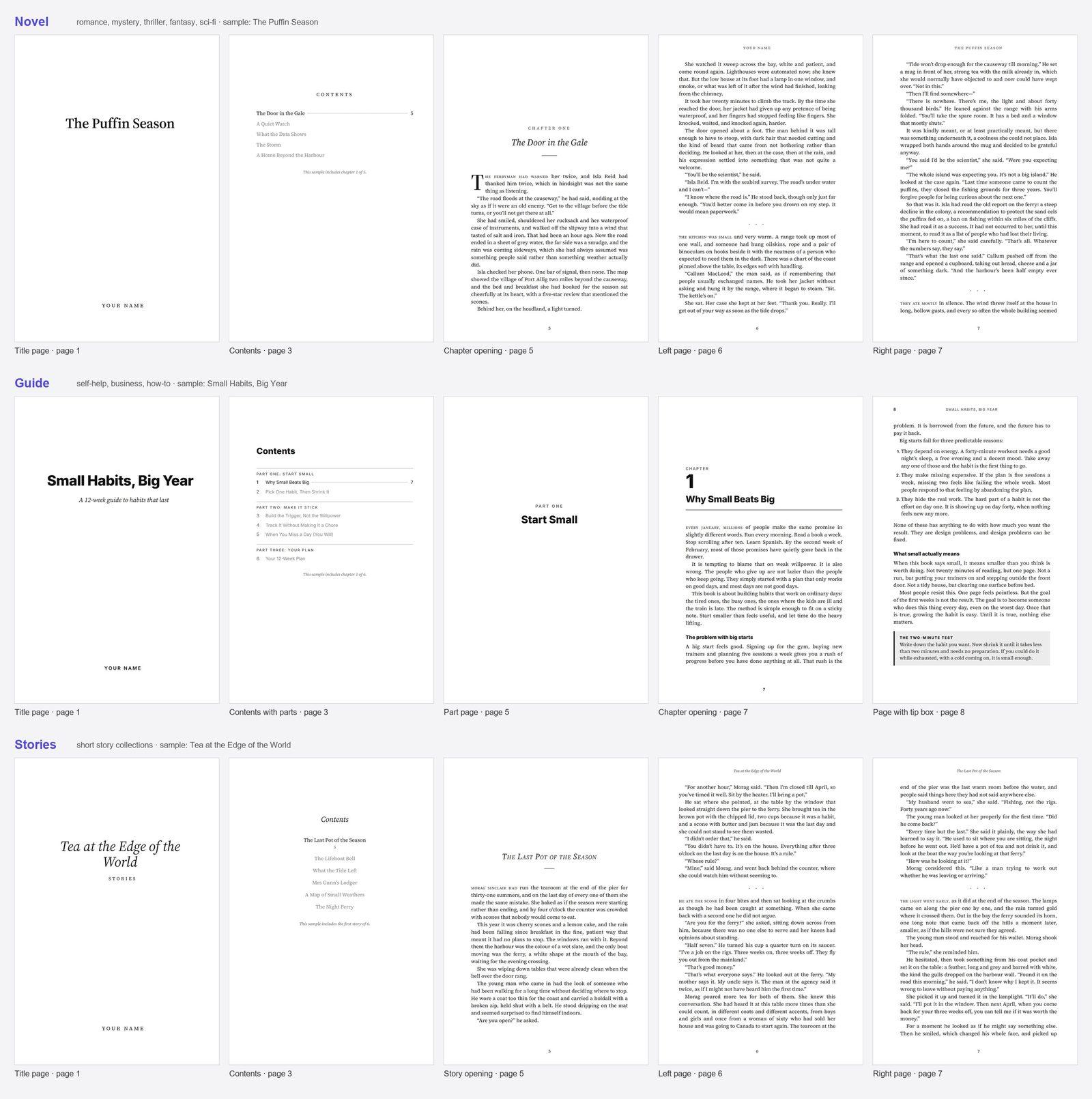
- Novel: chapter openings like a printed novel, with running heads.
- Guide: numbered chapters, clear headings and bullet lists.
- Stories: each story opens on its own right-hand page.
- Cover: choose an AI painting made for your book, a stock photo or clean type and edit its words, or build your own in the cover editor.
Is it legal to write and sell a book with AI?
Yes. Writing with AI tools is lawful, and every word BookBee produces for you belongs to you to sell, print or share, with no royalties to BookBee. What you do have to follow are each store’s rules. This is general information, not legal advice.
- Amazon KDP’s content guidelines ask you to declare AI-generated text, images and translations, and AI text you have since edited still counts.
- Draft2Digital accepts AI-assisted books, but not text generated entirely by AI without extensive editing by a person, and not AI-written non-fiction from authors without credentials.
- Copyright: the US Copyright Office protects human authorship, so your own writing, edits and choices can be protected, while text left entirely to the AI cannot.
- More detail for novelists: publishing an AI-written novel.
Can people, or Amazon, tell a book was written by AI?
Not reliably. AI-text detectors make mistakes both ways: OpenAI withdrew its own detector in July 2023 because it caught only 26% of AI-written text and wrongly flagged human writing 9% of the time.
So don’t plan around being detected. Tell stores the truth when they ask, as KDP does, and edit the book until it sounds like you. Readers notice flat, repetitive writing, which is why BookBee checks every chapter for repeated and stock phrases.
5 decisions to make before you write a book with AI
The plan is only as good as what you bring to it. Decide these first:
- Who it is for: one kind of reader, not everyone.
- The type and the length: a 5-chapter guide and a 38-chapter fantasy need very different plans.
- The promise or the ending: what the reader will be able to do, or how the story should end.
- Your voice: a writing sample for fiction, your own notes and stories for a guide.
- What to keep out: topics, clichés or words you never want to see in your book.
AI book writer, ghostwriter or writing it yourself?
If you are searching “I need help writing my book”, these are the real options. Here is how they compare on what decides whether a book gets finished.
| Feature | BookBee AI | ChatGPT-style chat | A human ghostwriter | Writing it yourself |
|---|---|---|---|---|
| Who writes the words | AI, from a plan you approve | AI, one reply at a time | A professional writer, in your name | You |
| Time to a first draft | Minutes | Hours of prompting and copying | Usually months | As long as it takes |
| Cost | Free plan: 5 chapters; paid plans from $8 a month | Free and paid versions | $3,500–$18,000 for a novel, $18,000–$50,000 for non-fiction (Reedsy) | Your time |
| Keeps the book consistent | Story bible and 6 checks per chapter | Forgets in long chats | The writer’s job | Your notes |
| Cover and book files | AI or photo cover, 6 × 9 in PDF; EPUB on paid plans | No: copy and paste | Agreed separately | You arrange them |
| Your control | Approve the plan, edit any line | Prompt by prompt | You review the drafts | Complete |
When a ghostwriter is the better choice
A memoir built from long interviews about your life, an expert book that needs original research and quotes, or a book you want written entirely by someone else, if the budget allows. A good ghostwriter brings judgement and experience no tool has.
When BookBee is the better choice
You have the idea and want a planned draft today to edit in your own voice, or you want to test a book idea before spending thousands.
Frequently asked questions
Is using AI to write a book cheating?
No, as long as you are honest about it. Writers have always had help, from editors to ghostwriters. What matters is that you tell stores the truth where they ask, and that you shape the book yourself.
What is the best AI for writing a book?
It depends on the job. For a complete, planned draft with a cover and files, use an AI book writer such as BookBee. To write most sentences yourself with help, a writing assistant such as Sudowrite fits better. For ideas and outlines, a general chatbot is enough.
What is the best software to write a book?
There is no single best book writing software, so pick by who writes the words. To type every word yourself, Scrivener is the long-standing choice and Google Docs the free one. For help scene by scene, try Sudowrite or Novelcrafter. For a finished first draft from one idea, use an AI book writer like BookBee.
What is the best app for writing a book?
For a free app on your phone, Novelist and Google Docs are the usual picks. Reedsy Studio is a good free choice in a browser if you want the book typeset as you go. BookBee also runs in the browser, but it drafts the book for you instead of opening on a blank page.
Is there free book writing software?
Plenty, if you write the words yourself: Google Docs, Novelist and Reedsy Studio cost nothing. Tools that do the writing have to limit what is free, because each chapter costs money to produce. BookBee’s free plan covers one book of up to 5 chapters.
Can ChatGPT write a book?
In pieces, if you keep asking. It answers one reply at a time, so you plan the book, request each chapter, remind it of the facts and copy the text out yourself. An AI book writer takes those steps off your hands and finishes with a cover and book files.
Can I sell a book I wrote with ChatGPT?
Yes, and the same store rules apply whichever AI drafted it. Amazon KDP wants AI-generated text declared at upload, and Draft2Digital will not take text left entirely to the AI. Edit the book properly, tell the truth on the upload form and you can sell it.
Has anyone ever published a book written by AI?
Yes. The experimental 1 the Road came out in 2018, its text generated from a camera, a microphone and GPS during a car trip. Rie Qudan’s Tokyo Sympathy Tower, which took Japan’s Akutagawa Prize in 2024, used ChatGPT for about 5% of its words by her own account.
What is a book writer called?
An author, or a ghostwriter when someone else’s name goes on the cover. Software that does the drafting goes by several names: AI book writer, AI book generator or AI ghostwriter.
Can AI write a book about my life?
Not with BookBee yet. Memoirs are not available; for now it covers fiction (novels and short stories) and how-to ebooks.
Can BookBee make a book with pictures?
Not yet. BookBee writes the text and makes the cover. Picture books and illustrated children’s books are not available.
Can I upload my own notes?
Yes, for how-to ebooks. Paste notes and add up to 5 source files under “More details”, 4 MB in total, and BookBee writes the chapters from them. Very long files are only partly used, with your notes read first.
Can I write fiction and non-fiction with one account?
Yes. You pick the book type each time you start a book. The free plan is one book in total, of either kind.
How many chapters can a book have?
Up to 5 on the free plan. Paid plans are for full-length books. The length you pick when you start sets the most, you can remove chapters in the plan, and you can add blank ones yourself after writing.
Can I change the plan after I approve it?
Partly. While the book is being written, use the Edit button beside an upcoming chapter to change its title, events or beat, but characters, setting and rules are fixed once writing starts. To change a finished chapter, edit it or write it again from the editor (3 times per book on the free plan).
Does BookBee make up facts in how-to books?
It is told not to, and a check looks at every how-to chapter for made-up numbers, studies, quotes or experts. Still check any fact that matters before you publish, and add your own sources for the best result.
Does it write in British or American English?
Both. Choose UK or US spelling; it starts from your browser’s language. BookBee is told to use it in every chapter, but no check looks at spelling.
What do I download at the end?
On the free plan, with a small BookBee mark: a 6 × 9 in PDF ready for print, your front cover as an image for Amazon’s Cover Creator, a PDF to share and a PDF to print at home. Paid plans add EPUB for ebook stores, a Word file and the paperback’s full cover with its spine.
Which languages are supported?
English for now. Spanish, French, German and Portuguese are planned.
Can BookBee write a series?
Not as a connected series yet. On a paid plan you can start each book separately and paste your cast and settings into the new idea.
What do paid plans cost?
Starter is $8 a month and Pro is $18 a month. Paid plans add full-length books, EPUB, a Word file and no BookBee mark, and the free book remains free.

Written by Aimbelo, Founder, BookBee AI
Last updated
Sources
Where the publishing, copyright, detector and price facts above come from. The first five pages were checked on 3 November 2026, the tool pages on 3 and 4 November 2026, and the two published-book pages on 4 November 2026.
- Amazon KDP content guidelines: its rule on declaring AI-generated content
- Draft2Digital FAQ: its policy on AI-assisted and AI-generated books
- US Copyright Office: Copyright and AI: human authorship and AI-generated material
- OpenAI: New AI classifier for indicating AI-written text: 26% detection rate, 9% false positives, withdrawn in July 2023
- Reedsy: How much does it cost to hire a ghostwriter?: ghostwriting prices from Reedsy’s 2026 data
- Inkfluence pricing: free plan, prices and export formats
- AIWriteBook pricing: free plan, prices and export formats
- AIWriteBook AI book writer: writing from your sample and accepting each edit
- Squibler pricing: free credits, prices and export formats
- Type.ai pricing: free credits and paid plans
- Type.ai AI Novel Writer: the free outline and first-chapter preview
- Bookwiz: manuscript memory, free plan, prices, exports and cover
- Reedsy Studio: free plan and export formats
- Novelist: free app on phone and web
- Google Docs: free online word processor
- Scrivener store: licence price
- Atticus: one-time price
- Vellum: prices; Mac only
- Sudowrite pricing: lowest plan
- Novelcrafter pricing: AI plans
- 1 the Road (Wikipedia): the 2018 book generated on a road trip
- Rie Qudan (Wikipedia): her prize and what she said about ChatGPT
Your first chapter in minutes.
Type an idea. Approve the plan. Read chapter one tonight.
Start writing free